15 Online Safety Habits Everyone Should Follow
Despite being as essential as electricity, the internet carries real risks that most people don’t fully grasp. Today’s cybercriminals operate with incredible sophistication — what used to be obvious scams now appear disturbingly legitimate.
Dozens of potential security threats encounter the average person daily without their awareness. Developing solid online safety habits isn’t about becoming paranoid.
Rather, it’s about cultivating the same street smarts you’d use when navigating any unfamiliar neighborhood. Here is a list of 15 online safety habits everyone should follow.
Use Strong, Unique Passwords Everywhere

Using the same password everywhere is like carrying one key for your house, car, office, and bank vault. Most people make this exact mistake.
Once hackers breach a single account, they’ll test that password across every major website immediately. Strong passwords require at least 12 characters — combining letters, numbers, and symbols while avoiding recognizable words or personal information.
Password managers can generate these complex combinations and store them automatically.
Enable Two-Factor Authentication

Think of two-factor authentication as installing a deadbolt above your regular door lock. This extra layer stops most break-in attempts completely.
Someone might steal your password, yet they still can’t access your accounts without that second verification step. Most major services provide this protection at no cost, typically through text messages or authenticator apps on your phone.
Keep Software Updated Automatically

Those persistent update notifications aren’t just adding new features — they’re sealing security gaps that hackers exploit actively. Cybercriminals hunt specifically for people running outdated software because older versions contain known vulnerabilities.
Automatic updates deliver these security patches without requiring you to remember manual installation. This simple setting prevents the majority of common attacks.
Be Skeptical of Unexpected Emails

Legitimate companies never send urgent emails demanding you click links or provide personal information immediately. Scammers craft incredibly convincing fakes — complete with official logos and formatting that perfectly mirrors real companies.
When unexpected emails arrive about account issues, security alerts, or special promotions, navigate directly to the company’s official website rather than clicking any message links. This approach sidesteps potential traps entirely.
Use Secure Networks for Sensitive Activities

Public Wi-Fi networks at coffee shops, airports, and hotels offer convenience but create perfect hunting grounds for cybercriminals. These networks typically lack proper security, allowing bad actors to intercept your data easily.
Activities like online banking, shopping, or accessing work accounts should wait until you’re connected to your home network or using cellular data. The additional security justifies any minor inconvenience.
Verify Before Sharing Personal Information

Creating fake websites that look identical to legitimate ones has become a specialty for scammers — they include secure connection symbols and professional design elements that fool most people. Before entering personal details anywhere online, examine web addresses carefully for subtle misspellings or suspicious extra characters.
Banks, retailers, and government agencies always use their official domain names without weird additions or variations. A few seconds of verification prevents major headaches later.
Review Privacy Settings Regularly
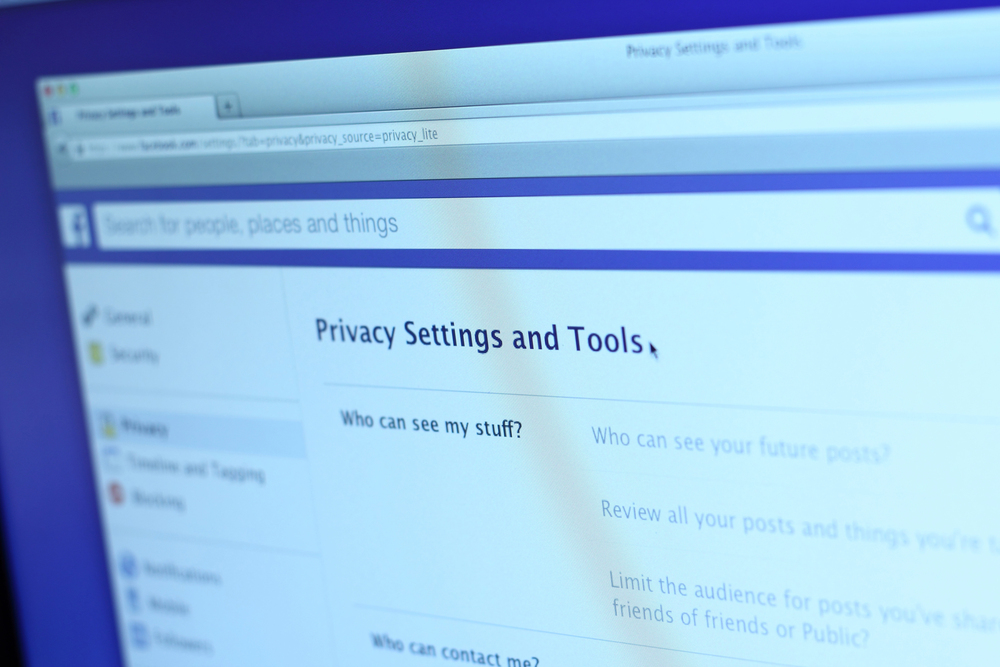
Social media platforms and online services modify their privacy settings frequently, often defaulting to options that share more of your information than intended. Content you shared with friends five years ago might now be visible to everyone, including potential employers, scammers, or identity thieves.
Spending a few minutes monthly reviewing these settings prevents significant problems down the road. What seemed appropriate previously may need adjustment as platforms evolve their policies.
Think Before You Post

Every piece of content shared online creates a permanent digital footprint that can resurface years later in unexpected contexts. Future employers, college admissions officers, and cybercriminals all mine social media posts for information about individuals.
Photos containing location data, personal details in profile sections, or posts about vacation plans provide valuable intelligence to people with malicious intentions. Consider the long-term implications before hitting that ‘share’ button.
Use Reputable Antivirus Software

Modern antivirus programs do far more than catch traditional viruses — they block dangerous websites, scan email attachments, and detect suspicious behavior on your devices. Free versions often provide sufficient protection for basic users, while paid options offer additional features like identity monitoring and secure browsing capabilities.
Choose software from established companies rather than unknown brands that might be malware disguised as protection software.
Create Regular Data Backups

Ransomware attacks lock people out of their own files while demanding payment for restoration, but having recent backups makes these threats completely powerless. Cloud storage services automatically back up most important files, though it’s worth double-checking that your photos, documents, and irreplaceable data are actually being preserved properly.
External hard drives provide another backup option that stays completely offline and beyond the reach of any cybercriminal.
Be Cautious With App Downloads

Official app stores have security measures in place, but fake apps still slip through occasionally, especially ones that mimic popular legitimate applications. Always check app ratings, reviews, and developer information before downloading anything new to your device.
Apps requesting excessive permissions, like a flashlight app wanting access to your contacts, represent major red flags that suggest malicious intent behind the scenes.
Monitor Your Financial Accounts

Despite having fraud detection systems, credit card companies and banks aren’t perfect — smaller unauthorized charges often slip through unnoticed by automated systems. Checking your accounts weekly helps catch problems early when they’re much easier to resolve with customer service.
Many banks now offer real-time alerts for transactions, which can notify you immediately if someone uses your card or accesses your account unexpectedly.
Use Secure Browsers and Search Engines

Certain browsers and search engines track your online activity extensively, then sell that information to advertisers or, potentially, worse actors. Privacy-focused alternatives like Firefox, DuckDuckGo, and Brave offer superior protection against tracking and data collection practices.
These tools also typically include built-in features that block malicious websites while preventing various forms of online surveillance from following your digital footprints.
Learn to Recognize Common Scams

Although scammers constantly adapt their tactics, most schemes follow predictable patterns that create false urgency, offer deals that seem too good to be true, or request unusual payment methods. Phone calls claiming to be from government agencies, emails about lottery winnings, and texts about suspended accounts are almost always fraudulent attempts.
When something feels off, trust that instinct and verify the claim independently rather than responding immediately to the request.
Educate Family Members About Online Risks

Cybercriminals often target the least tech-savvy person in a household because they understand that individual might have access to family financial accounts or sensitive personal information. Older relatives and young children need different types of guidance approaches, but both groups benefit significantly from understanding basic online safety principles.
Regular conversations about new scams and emerging threats help everyone stay alert without becoming overly fearful of using technology.
Digital Security in Our Connected Era

Online safety habits have become as essential as looking both ways before crossing busy streets, yet most people learned to use the internet without any formal training in digital self-defense. The encouraging news is that cybercriminals rely heavily on people making predictable mistakes, which means following basic security practices can protect you from the vast majority of online threats.
These habits might seem like extra work initially, but they become second nature quickly. The peace of mind they provide is absolutely worth the small amount of effort required. In a world where our digital and physical lives intertwine increasingly, protecting your online presence really means safeguarding your real-world security and financial well-being for the long term.
More from Go2Tutors!

- The Romanov Crown Jewels and Their Tragic Fate
- 13 Historical Mysteries That Science Still Can’t Solve
- Famous Hoaxes That Fooled the World for Years
- 15 Child Stars with Tragic Adult Lives
- 16 Famous Jewelry Pieces in History
Like Go2Tutors’s content? Follow us on MSN.