15 Smartphone Features Most People Don’t Know
Your smartphone is packed with hidden gems that most people never discover. These devices contain dozens of clever features designed to make life easier, but they often remain buried in settings menus or activated through obscure gestures.
Here’s a list of 15 smartphone features that could change how you use your device every day.
Emergency SOS
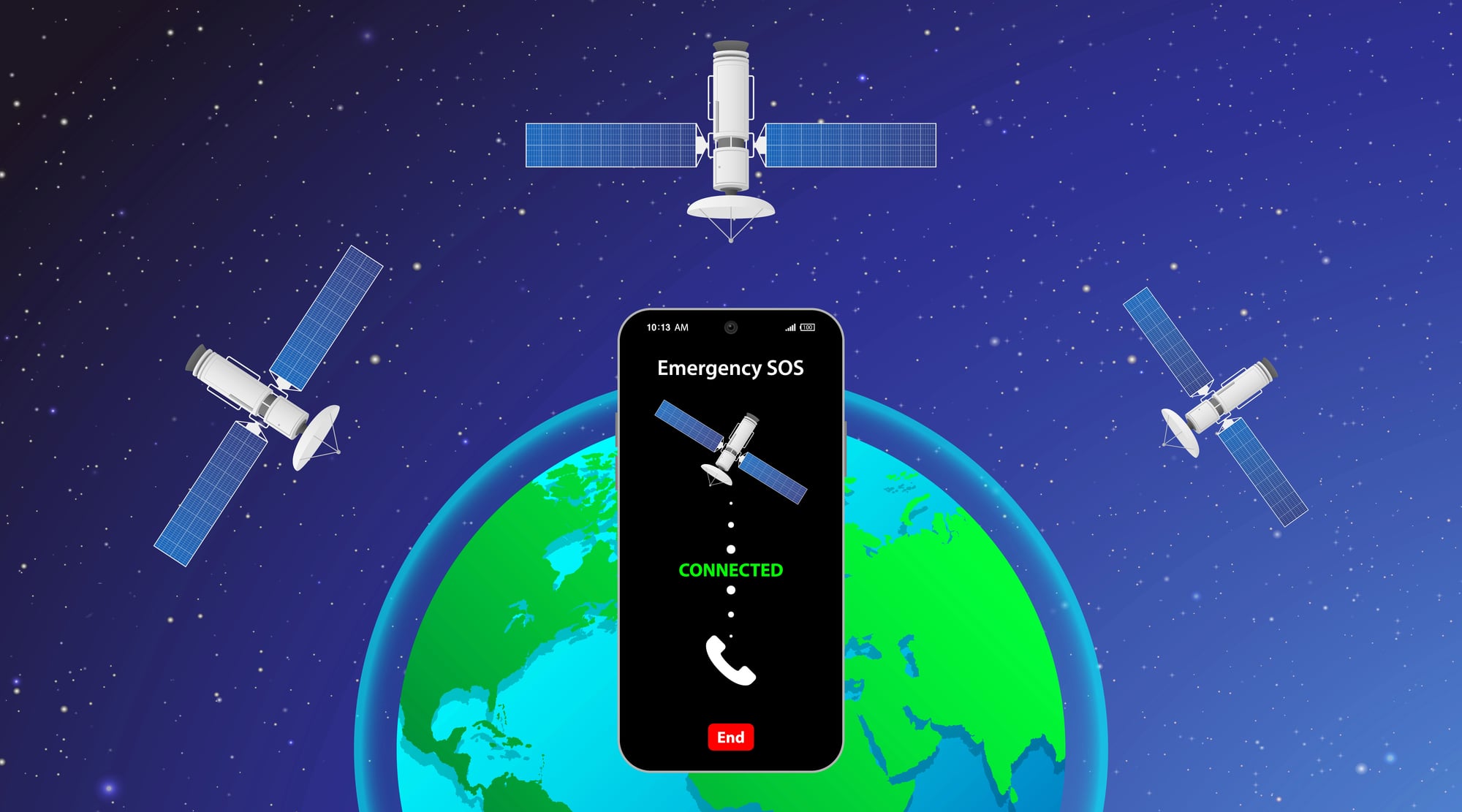
Most smartphones can automatically call emergency services and notify your emergency contacts with just a few button presses. On iPhones, rapidly pressing the side button five times triggers this feature, while Android phones typically use the power button pressed three to five times.
This works even when your phone is locked, and it can share your location with first responders automatically.
Back Tap Shortcuts

iPhones running iOS 14 and later can detect when you tap the back of your phone twice or three times. You can customize these taps to perform almost any action, from taking screenshots to turning on your flashlight.
It’s like having invisible buttons on the back of your device that work through most phone cases.
Like Go2Tutors’s content? Follow us on MSN.
One-Handed Mode

Large phones can be tricky to use with one hand, but both iOS and Android offer solutions. On iPhones, swiping down on the bottom edge of the screen shrinks everything to the lower half.
Android phones usually activate this by swiping down from the navigation bar or through a gesture in settings.
Live Text Recognition

Modern smartphones can read and copy text from photos in real-time. Point your camera at a sign, document, or business card, and your phone can extract phone numbers, addresses, or any text you see.
This works in the camera app and even in existing photos stored in your gallery.
Sound Recognition
Your phone can listen for specific sounds and notify you when it hears them. This includes smoke alarms, doorbells, crying babies, or even appliances finishing their cycles.
It’s particularly useful for people with hearing difficulties or when you’re wearing headphones and might miss important sounds.
Like Go2Tutors’s content? Follow us on MSN.
Focus Modes and Do Not Disturb Scheduling

Beyond basic ‘Do Not Disturb’, smartphones offer sophisticated focus modes that filter notifications based on your activity. You can create different profiles for work, sleep, driving, or personal time, each allowing only specific apps and contacts to reach you.
These can activate automatically based on time, location, or calendar events.
Camera Pro Controls

Most phone cameras have manual controls hidden away that rival dedicated cameras. You can adjust ISO, shutter speed, white balance, and focus manually.
Some phones also offer RAW photo capture, giving you much more flexibility when editing photos later.
Voice Control Navigation

You can navigate your entire phone using just your voice, even without internet connectivity. This goes far beyond simple commands like calling contacts or setting timers.
You can open apps, navigate menus, dictate text, and even control accessibility features entirely through spoken commands.
Like Go2Tutors’s content? Follow us on MSN.
Smart Battery Management

Modern phones learn your charging habits and can delay charging to 100% until you typically wake up or unplug your device. This reduces battery degradation over time by avoiding keeping the battery at maximum charge for extended periods.
The feature runs automatically once your phone learns your routine.
Offline Maps and Navigation
Google Maps and Apple Maps can download entire regions for offline use, providing full navigation even without cellular or Wi-Fi connectivity.
This is incredibly useful for road trips through areas with poor coverage or when traveling internationally to avoid data charges.
Screen Time App Limits

You can set daily time limits for specific apps or app categories, and your phone will remind you when you’re approaching or exceeding these limits.
Some phones can even automatically close apps after the time limit is reached, helping break addictive usage patterns.
Like Go2Tutors’s content? Follow us on MSN.
Find My Device Precision Finding

If you have compatible devices, your phone can guide you to lost items with arrow directions and distance measurements, similar to a GPS treasure hunt.
This works with AirTags, Samsung SmartTags, and other Bluetooth trackers, making it nearly impossible to permanently lose important items.
Custom Control Center

The Control Center or Quick Settings panel can be extensively customized beyond the default options. You can add toggles for screen recording, low power mode, camera shortcuts, accessibility features, and even third-party app controls.
Most people stick with the default layout and miss these conveniences.
Wireless Charging Reverse Mode

Many newer smartphones can wirelessly charge other devices by placing them back-to-back. This feature can charge wireless earbuds, smartwatches, or even another phone in emergency situations.
It’s like turning your phone into a portable charging pad.
Like Go2Tutors’s content? Follow us on MSN.
Shortcut Automations

Both iOS Shortcuts and Android’s automation features can create complex workflows triggered by specific conditions. Your phone can automatically send arrival texts when you reach certain locations, adjust settings based on time of day, or chain together multiple actions with a single voice command or tap.
The Hidden Potential in Your Pocket

These features represent just a fraction of what modern smartphones can accomplish beyond calls and texting. The challenge isn’t that phones lack capabilities, but that manufacturers often hide the most useful features behind multiple menu layers or fail to explain them clearly.
Taking time to explore your device’s settings and experimenting with lesser-known features can transform a familiar tool into something that feels almost magical. Your smartphone is already more powerful than you realize—it just needs you to unlock its potential.
More from Go2Tutors!

- 16 Historical Figures Who Were Nothing Like You Think
- 12 Things Sold in the 80s That Are Now Illegal
- 15 VHS Tapes That Could Be Worth Thousands
- 17 Historical “What Ifs” That Would Have Changed Everything
- 18 TV Shows That Vanished Without a Finale
Like Go2Tutors’s content? Follow us on MSN.